Beskrywing
This plugin needs Contact Form 7 and Form data to kintone.
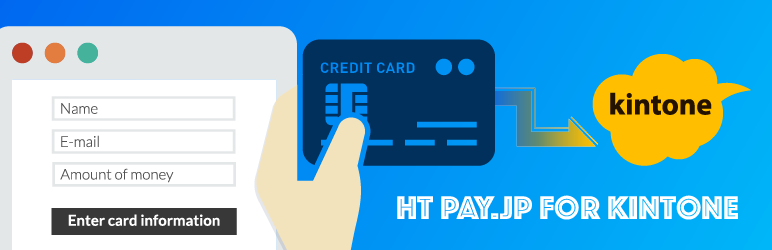
This plugin can payment using PAY.JP and post to kintone.
Features
- Accept payments via PAY.JP on WordPress forms
- Send payment data to kintone automatically
- 3D Secure authentication support (required from February 2025)
- Create PAY.JP Customer during payment (optional)
- Test/Live mode switching per form
- Multi-language support (Japanese/English) for payment dialog
Available Mail Tags
The following mail tags can be used in CF7 mail templates and kintone field mappings:
[payjp-charged-id]– PAY.JP Charge ID[payjp-charged-captured-at]– Payment captured datetime[payjp-customer-id]– PAY.JP Customer ID (when customer creation is enabled)
What is kintone?
It is a cloud service that can make the business applications with non-programming provided by Cybozu.
Collaborate with team members and partners via apps and workspaces.
- Information in Japanese : https://kintone.cybozu.com/jp/
- Information in English: https://www.kintone.com/
What is PAY.JP?
PAY.JP is a suite of payment APIs in Japan.
https://pay.jp/
Installation
- Upload the entire
ht-payjp-for-kintonefolder to the/wp-content/plugins/directory. - Activate the plugin through the ‘Plugins’ menu in WordPress
- Go to Contact > HT PAY.JP for kintone to set your PAY.JP API keys
- Edit your Contact Form 7 form and go to the PAY.JP tab to configure settings
- Add the shortcode
[ht_payjp_for_kintone]to your form
Kwel-vrae
-
What plugins are required?
-
This plugin requires Contact Form 7.
If you want to send payment data to kintone, install Form data to kintone as well. -
How do I get PAY.JP API keys?
-
Sign up at https://pay.jp/ and get your Test/Live API keys from the dashboard.
-
Is 3D Secure supported?
-
Yes, 3D Secure is supported and required from February 2025 by PAY.JP.
-
Can I create customers in PAY.JP?
-
Yes, you can enable customer creation in the PAY.JP tab settings. When enabled, a PAY.JP Customer will be created during payment, and you can use the
[payjp-customer-id]mail tag. -
How do I switch between Test and Live mode?
-
Each Contact Form 7 form has its own “Enable Live” checkbox in the PAY.JP tab. Uncheck it to use Test mode.
Aanbevelings


Contributors & Developers
“HT PAY.JP for kintone” is oopbron sagteware. Die volgende mense het bygedra tot die ontwikkeling van hierdie uitbreiding:
Contributors
Translate “HT PAY.JP for kintone” into your language.
Interested in development?
Browse the code, check out the SVN repository, or subscribe to the development log by RSS.
Changelog
1.10.0( 2026-05-16 )
- [Added] New action hook
ht_payjp_for_kintone_before_chargefired just before PAY.JP charge. Allows site-specific validation (e.g., member matching, fraud check) and aborting the payment by reference parameters. - Parameters: $posted_data (array), $amount (int), $token (string), $abort_payment (bool, by-ref), $abort_reason (string, by-ref), $submission (WPCF7_Submission), $contact_form (WPCF7_ContactForm)
- Set $abort_payment = true in your callback to cancel the charge; optionally set $abort_reason for the user-facing message
1.9.0( 2026-04-27 )
- [Security] Masked Test/Live Secret Keys on the settings page (input type=password with empty value; only the last 4 characters shown as a “Current” hint)
- [Security] Suppressed browser password manager prompts (autocomplete=off plus data-1p-ignore / data-lpignore / data-bwignore)
- [Security] Validated PAY.JP key format prefixes (sk_test_ / sk_live_ / pk_test_ / pk_live_) before saving; invalid values are rejected with an error message
- [Security] Set autoload=no on stored API key options so secret keys are not loaded into memory on every request
- [Fixed] Live Secret Key was not saved when Live Public Key was empty due to a field check looking at the wrong POST key
1.8.1( 2026-02-01 )
- Updated readme.txt with Features section and Available Mail Tags documentation
- Improved FAQ section with actual questions and answers
- Fixed changelog dates to match Git tag dates
1.8.0( 2026-01-31 )
- Added customer creation feature – optionally create PAY.JP Customer during payment
- Added
[payjp-customer-id]mail tag for CF7 mail and kintone - Added
ht_payjp_for_kintone_after_customer_createaction hook - Added
ht_payjp_for_kintone_after_chargeaction hook
1.7.1( 2025-03-30 )
- Version up to 1.7.1 because plugin zip file for 1.7.0 was not created and plugin could not be updated
1.7.0( 2025-03-30 )
- Forced migration to 3D Secure
1.6.1( 2024-11-24 )
- Added setting guide link for 3D Secure
1.6.0( 2024-11-23 )
- Added 3D Secure switching functionality
- Added support for 3D Secure with Prerelease (Available until April 30, 2025)
- Added support for 3D Secure Enabled (Available from February 4, 2025)
1.5.0( 2024-11-17 )
- Updated payjp/payjp-php version from 1.0.5 to 1.7.0
- Added error handling for \Payjp\Error\Card
1.4.1( 2023-11-05 )
- [Fixed]Handle case where ‘description’ setting is not provided
1.4.0( 2023-11-03 )
- Support for adding description to payment data
1.3.6( 2023-05-26 )
- Fixed an issue with the incorrect configuration of the
wpcf7_add_form_tagfunction.
1.3.5
Release Date: April 8th, 2022
- [Update] Update version number.
1.3.4
Release Date: April 8th, 2022
- [Fixed] Fixed text domain.
1.3.3
Release Date: March 30th, 2022
- [Fixed] Fixed a bug with payjp-charged-captured-at.
1.3.2
Release Date: March 24th, 2022
- [Update] Version up number.
1.3.1
Release Date: March 24th, 2022
- [Added] Support for saving Pay.jp payment datetime to kintone.
1.3.0
Release Date: February 26th, 2022
- [Added] Supported language settings for Pay.jp payment dialog.
1.2.5
Release Date: Jun 8th, 2021
- [Added] Added support for retrieving Pay.jp’s settlement processing date.
- [Added] Remove unwanted strings such as commas and yen from the payment amount.
1.2.4
- [Fixed] A problem with the radio button as an element in the amount form.
1.2.3
- [Remove] the webhook waiting process in Pro version
1.2.2
- [Remove] filter hook of “set_update_key_for_kintone” in Pro version
1.2.1
- Changed to be updated from release assets.
1.2.0
- Add auto update for PRO.
1.1.0
- Fixed a bug that caused payment to be made to Pay.jp even if there was a validation error in Contact form 7.
1.0.8
- Fix Undefined index: kintone-enabled.
1.0.7
- Change all of Class name.
1.0.6
- Change the order of displayeds tabs.
1.0.5
- Fix Validation check was executed even when HT PAY.JP for kintone was disabled.
1.0.4
- Add Youtube on readme.txt.
1.0.3
- Add banner and icon of Plugin.
1.0.2
- Change readme.txt.
1.0.1
- Fix typo.
1.0.0
- First Release