

Beskrywing
Use spoilers to hide some content on the page using shortcode. On the settings page, you can specify the color of the spoiler.
How to use
Example: [spoiler]Spoiler content[/spoiler]
Example: [spoiler title="Show spoiler"]Spoiler content[/spoiler]
Translations
You can translate Simple Spoiler on translate.wordpress.org.
Screenshots

Manage color settings 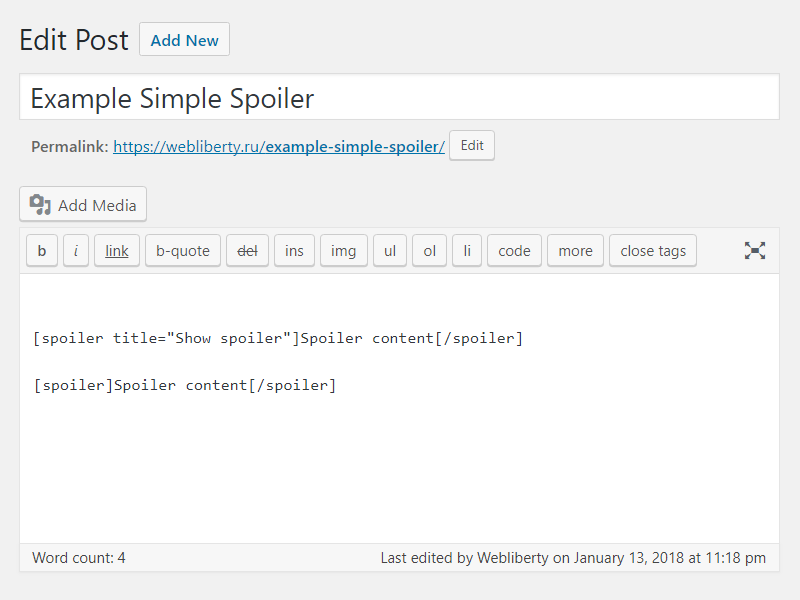
Use of shortcodes in HTML editor 
Preview spoilers in page content
Installation
- Upload folder
simple-spoilerto the/wp-content/plugins/directory; - Activate the plugin through the ‘Plugins’ menu in WordPress;
- Place shortcode in your content.
Kwel-vrae
-
How do I can customize design of the spoiler?
-
To change color layout of a spoiler, please, go to options page.
Aanbevelings

Mei 15, 2021
Thank you for developing this plugin. I wanted something simple with minimal configuration and this shortcode and control over the colors is wonderful. Thank you.

April 13, 2020
1 reply
Легко поддается дополнительной стилизации.
Есть необходимая документация по CSS.
Отличная техподдержка, реагирует мгновенно.
Спасибо.

April 12, 2020
в середині спойлера не працють інші теги

April 9, 2020
2 replies
Спасибо за плагин и быструю техподдержку!

Maart 3, 2019
Great.

Desember 31, 2018
Задумка хорошая, но не увидел кнопку в редакторе. Каждый раз в ручную прописывать, это прошлый век.
Contributors & Developers
“Simple Spoiler” is oopbron sagteware. Die volgende mense het bygedra tot die ontwikkeling van hierdie uitbreiding:
Contributors
“Simple Spoiler” has been translated into 6 locales. Thank you to the translators for their contributions.
Translate “Simple Spoiler” into your language.
Interested in development?
Browse the code, check out the SVN repository, or subscribe to the development log by RSS.
Changelog
1.5
- Fixed Cross Site Scripting (XSS) vulnerability.
- Improved code performance and security.
1.4
- Fixed Unauthenticated Arbitrary Shortcode Execution vulnerability in comments.
1.3
- Fixed Cross Site Scripting (XSS) vulnerability.
1.2
- Added support spoiler shortcode for comments.
- Added settings for change spoiler border color.
1.1
- Fix undefined constant ‘title’.
1.0
- Initial release.