
Beskrywing
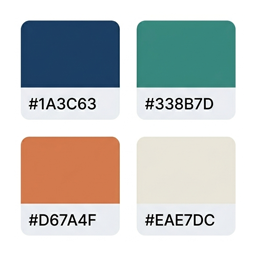
Aticolor Palettes lets you build and maintain a personal color library right inside WordPress. Ideal for designers and developers who work on multiple sites and want quick access to project color palettes.
Key features:
- Color groups — organize colors by project, brand or category
- Toolbar access — click the palette icon in the admin bar for instant access from any page
- Full admin page — manage your palette from a dedicated, spacious interface
- One-click copy — click “Copy” on any color to send the hex value to your clipboard
- Transparency support — opacity slider + 8-digit hex (#RRGGBBAA) for colors with alpha channel
- Add, edit and delete — full CRUD for both groups and colors
- Remembers collapsed groups — the dropdown remembers which groups you collapsed
- Persistent storage — your palette is saved in the WordPress database
- Internationalized — available in English and Spanish (and ready for more languages)
External Services
This plugin optionally connects to Ko-fi (https://ko-fi.com) when you click the “Support this plugin” button. The Ko-fi donation page is loaded in a modal iframe solely to allow voluntary donations to the plugin author. No data from your WordPress site is sent to Ko-fi automatically — the connection is only made when a logged-in admin explicitly clicks the button.
- Ko-fi Terms of Service: https://ko-fi.com/terms
- Ko-fi Privacy Policy: https://ko-fi.com/privacy
Screenshots


Installation
- Upload the
aticolor-palettesfolder to the/wp-content/plugins/directory - Activate the plugin through the Plugins menu in WordPress
- Click the palette icon in the admin bar to start adding colors
Kwel-vrae
-
Will this plugin affect my site’s frontend?
-
No. All CSS and JavaScript is only loaded when the admin bar is visible (i.e. when a logged-in user is browsing), and the plugin does not modify any site content.
-
Where is my palette data stored?
-
In the
wp_optionstable, under the keycpm_palette_data. If you uninstall the plugin this data is automatically removed. -
Can I use transparent colors?
-
Yes. The color form includes an opacity slider and accepts 8-digit hex codes (#RRGGBBAA). Opaque colors are stored as standard 6-digit hex (#RRGGBB).
-
Can multiple users have separate palettes?
-
Currently the palette is shared across all admin users of the site. Per-user palettes are planned for a future release.
Aanbevelings

Contributors & Developers
“Aticolor Palettes – Color Palette Manager for Designers” is oopbron sagteware. Die volgende mense het bygedra tot die ontwikkeling van hierdie uitbreiding:
Contributors
Translate “Aticolor Palettes – Color Palette Manager for Designers” into your language.
Interested in development?
Browse the code, check out the SVN repository, or subscribe to the development log by RSS.
Changelog
2.9.4
- All internal identifiers (option keys, AJAX actions, nonces, script handles, menu slug, JS global, defines) updated to use the atcp_ prefix for WordPress.org compliance
- Admin menu position moved to 82 to avoid conflicting with core WordPress items
2.9.3
- Updated Contributors, Author URI and external service disclosure for WordPress.org submission
2.9.2
- Ko-fi donation modal: the donation form now opens in an inline modal without leaving the admin
2.9.1
- Ko-fi button moved next to the page title (same line) to fix CSS cache issue
2.9.0
- Ko-fi donation button added to the plugin admin page
- Donate link added to the WordPress.org listing
2.8.0
- Toolbar dropdown buttons converted to SVG icons (copy, edit, duplicate, delete) with tooltips
2.7.0
- Rename existing group (inline, from toolbar and admin page)
2.6.0
- Fixed admin bar icon (no longer appears black on black)
- Drag & drop to reorder colors within a group
- Drag & drop to reorder groups
2.5.0
- New Pantone-style icon (color tile square) in admin bar and sidebar menu
- Collapse/expand groups on admin page with localStorage persistence
- Redesigned Delete group button on admin page
- One-click color duplication
- Fixed color edit form (now renders at full width)
2.4.0
- Renamed to Aticolor Palettes
- Fixed all WordPress Plugin Check issues (wp_unslash, translators comments, Author URI)
- Removed unnecessary load_plugin_textdomain() call (auto-loaded since WP 4.6)
- Tested up to WordPress 6.9
2.3.0
- Opacity/transparency support: slider + 8-digit hex (#RRGGBBAA)
- Checkerboard swatch background to visualize transparent colors
- Real-time color preview in the form
2.2.0
- Collapsed group state persists in localStorage
- Custom SVG icon fixed for admin sidebar (fill-rule evenodd)
2.1.0
- Panel moved to body level to fix overflow clipping in admin bar
- Matching SVG icon in admin sidebar
2.0.0
- Full admin page with card grid layout
- Internationalization: English and Spanish included
- Improved toolbar dropdown visual design
1.0.0
- Initial release